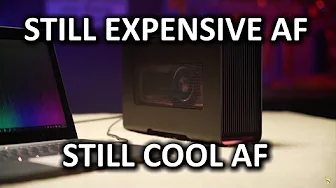
Razer Core Revisited - All Questions Answered
Your rating
Reactions
Channels and socials
We scratched the surface with our Razer Core review a few weeks back... Now let's take a closer look at what it can actually do! dbrand link: dbrand.com Cooler Master Store link: bit.ly Buy Razer Core on Amazon: geni.us Discuss on the forum: linustechtips.com Affiliates, referral programs, & sponsors: linustechtips.com Join our community forum: bit.ly twitter.com @LinusTech Intro Screen Music Credit: Title: Laszlo - Supernova Video Link: youtube.com iTunes Download Link: itunes.apple.com Artist Link: soundcloud.com Outro Screen Music Credit: Approaching Nirvana - Sugar High youtube.com Sound effects provided by freesfx.co.uk
AI Overview
The video Revisited: Razer Core Deep Dive revisits the questions left unanswered after the initial Core review and provides an in-depth, hands-on analysis of how the external GPU enclosure actually behaves in real-world scenarios. The host begins by recapping the core concept: a Thunderbolt 3 powered box that lets a desktop graphics card boost a laptop’s gaming capabilities. He then lays out the key questions guiding the deep dive, including whether TB3 is a bottleneck, how the Core performs with external displays, compatibility with non-Razer notebooks, and the ability to handle the most power-hungry GPUs. The speaker undertakes extensive testing over three days, covering thermal performance, acoustics, and a variety of GPUs and system configurations to isolate variables and understand true performance. He also probes non-graphics PCIe devices, confirming some level of compatibility and explaining its limitations through practical examples. A significant portion is devoted to real-world gaming benchmarks, including discussions of loopback mode, SLI possibilities, and the impact of PCIe x4 via Thunderbolt on frame rates, while tying these results back to how users should think about value and use cases for the Core in a mobile workflow. The overall conclusion emphasizes that while the Core does not magically solve all portability dilemmas or CPU limitations, it represents a meaningful step toward portable, upgradable PCs, with clear caveats about compatibility, BIOS fiddling, and performance overhead. The video closes by reflecting on future directions, the broader implications for modular, no-compromise PC components, and a brief mention of accessory ecosystem enhancements such as dbrand skins and related peripherals that can accompany the Core experience.
Topics · technology · hardware · gaming
Questions answered
- Does Thunderbolt 3 limit the Razer Core's performance with high end GPUs in real-world gaming?
- Yes, the review finds that Thunderbolt 3 introduces overhead that affects performance, with measured impacts in certain games and configurations, though it is not the sole bottleneck and results vary by GPU and system setup.
- Can the Razer Core work with non-Razer laptops or desktops, and is it easy to set up?
- Compatibility is possible with some systems, but it often requires BIOS and Thunderbolt firmware updates, and results are inconsistent across devices. The host demonstrates working setups on several models but notes that plug-and-play is not guaranteed.
- Is it feasible to use the Core with a high-end GPU while also using an external display, and does loopback mode degrade performance?
- Using an external display introduces some performance penalty, with loopback mode showing around a 15 to 25 percent hit depending on workload, but the Core can still deliver substantial gains over integrated graphics in many scenarios.






