HomeFeatured videos and new releasesBrowseLatest videos, playlists, and topicsCreatorsYouTube creators and their videosNewsHeadlines from publishers' feedsHistoryResume recently watched videos
Theme
Language
AccountAccountSign in
PrivacyCookiesTermsAboutContactRemovalMethodology
Account
Sign in
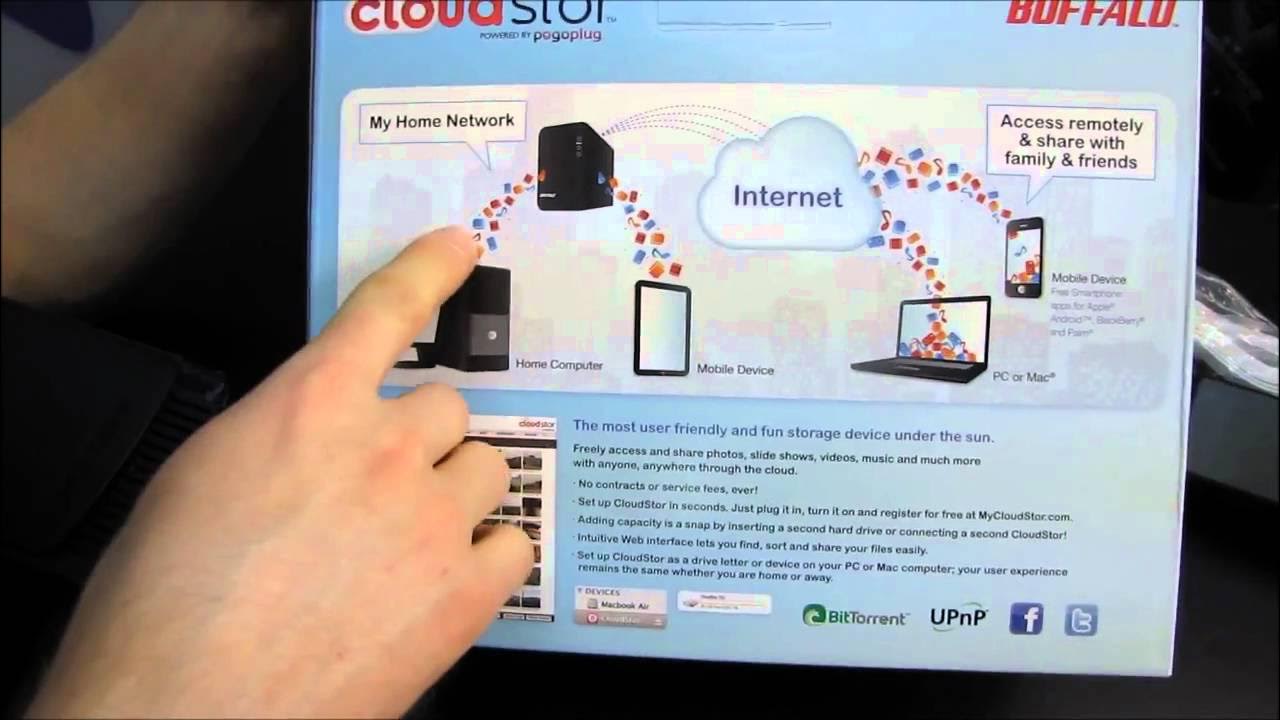
Buffalo Cloudstor 1TB Network Drive Powered by Pogoplug Unboxing & First Look Linus Tech Tips
Video · 0:00

Buffalo Cloudstor 1TB Network Drive Powered by Pogoplug Unboxing & First Look Linus Tech Tips

Linus Tech Tips@LinusTechTips•19.3K views•Apr 11, 2011•4:51

Your rating

Rate this video from 1 to 5

Reactions

Reactions to this video

Share

WhatsAppXReddit
Source
YT
Views
19.3K
Subscribers
16.9M
vs. channel typical
0.0x
Likes per 100
1.7
Comments
115

Description

ncix.com This is a pretty neat looking device. Planning to do a follow up video to have a look at the features of this device.

Start

AI Overview

The video presents a quick unboxing and first look at the Buffalo Cloudstor 1TB Network Drive powered by Pogoplug. Linus begins by dismissing the idea that unboxings are inherently stupid, then swiftly removes the packaging to reveal the device and accompanying accessories. He highlights the included items, notably a high quality Ethernet cable and the 12V 4A power adapter, and notes the device’s two bay form factor with the ability to add a second drive for expanded storage. The unboxing moves into hardware exploration, showing the internal drive, a Seagate Barracuda 7200.12 1TB unit, and the procedure to remove and replace the drive, including how the front panel clips in and how the back hosts power in and network interfaces. Linus also walks through the front LEDs, lack of a front power switch, and the back panel features such as the power switch, Kensington lock, Ethernet port, USB port, and a function button. The software experience is touched upon, describing the cloud-based access that lets you stream music, photos, videos, and documents to home computers or mobile devices, with cross‑platform support for iOS, Android, Blackberry, and Windows or Mac PCs. Finally, the video covers the basic capabilities like RAID options, JBOD, and remote access via the cloud, while noting that there is no visible onboard RAID configuration in the initial setup and that expanding storage is as simple as adding a second drive. The closing segment promises a follow-up to review features more deeply and encourages viewers to subscribe for more unboxings and tech content.

Topics · technology · unboxing · hardware · network-attached-storage

More from Linus Tech Tips

  • The $40 GTA 6 Gaming Setup is MUCH Better Than You'd Think
    18:45

    The $40 GTA 6 Gaming Setup is MUCH Better Than You'd Think

    534K views•yesterday
  • My Investment is on SALE
    1:42

    My Investment is on SALE

    305K views•yesterday
  • You Were Right About my Braces
    15:09

    You Were Right About my Braces

    582.4K views•2 days ago
  • 3 DJI M5T Features That Work Together
    0:55

    3 DJI M5T Features That Work Together

    39K views•2 days ago

Related videos

  • Mac Pro Unboxing & Second Impressions: The Power is Back!
    11:33

    Mac Pro Unboxing & Second Impressions: The Power is Back!

    5.1M views•7 years ago
  • Google Pixel Unboxing! (Best Android 7.1 Features)
    6:25

    Google Pixel Unboxing! (Best Android 7.1 Features)

    3M views•10 years ago
  • RED Hydrogen One Unboxing! (Houdini Edition)
    6:42

    RED Hydrogen One Unboxing! (Houdini Edition)

    2.7M views•8 years ago
  • I've never held so much graphics POWAHHH - NVIDIA RTX 3080
    8:39

    I've never held so much graphics POWAHHH - NVIDIA RTX 3080

    1.8M views•6 years ago
  • I’m impressed so far!! - Apple M1 MacBook Air
    11:33

    I’m impressed so far!! - Apple M1 MacBook Air

    1.7M views•6 years ago
  • This Laptop is so HARD to use! - Wingdings Tuxedo Laptop
    11:30

    This Laptop is so HARD to use! - Wingdings Tuxedo Laptop

    1.5M views•6 years ago


