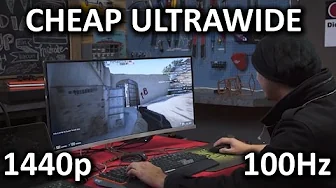
Cheap Korean Curved Ultrawide 100Hz Gaming Monitor
Your rating
Reactions
Description
The "ultrawide" experience is now available for $400 less than other 100Hz options with the M340CLZ from Microboard! But is it worth what you give up? Ting link: linus.ting.com Massdrop Link: dro.ps Buy on Amazon: geni.us Buy on eBay: ebay.com Discuss on the forum: linustechtips.com Our Affiliates, Referral Programs, and Sponsors: linustechtips.com
Channels and socials
Check out our Linus Tech Tips posters at crowdmade.com twitter.com @LinusTech Intro Screen Music Credit: Title: Laszlo - Supernova Video Link: youtube.com iTunes Download Link: itunes.apple.com Artist Link: soundcloud.com Outro Screen Music Credit: Approaching Nirvana - Sugar High youtube.com Sound effects provided by freesfx.co.uk
AI Overview
The video starts with Linus addressing the appeal of ultrawide monitors and introduces a budget option that challenges the premium brands. He explains that the Korean curved ultrawide monitor in question is significantly cheaper than comparable models from Acer Predator or ASUS Rog, while still offering a 34-inch 3440x1440 panel with a 100 Hz refresh rate and FreeSync. He notes early caveats, such as the absence of G-Sync, potentially lower panel quality, and the use of a Korean power setup, but emphasizes the dramatic cost savings and the overall value proposition for gamers who want the ultrawide experience without paying a premium. The unboxing reveals the included accessories, which are basic yet functional, and Linus highlights practical considerations such as assembly, build materials, and the overall aesthetic, including a metal chassis and a somewhat glossy arm. The performance section covers the monitor’s interfaces (DisplayPort, HDMI, and DVI), the claimed 100 Hz refresh rate across different connections, and initial gaming impressions where tearing resistance is not as robust as Nvidia’s G-Sync, but the player experience remains solid with noticeable improvements over 60 Hz. He experiments with color performance, mentions the panel being a Samsung VA type, and discusses color accuracy in a practical, non-professional context, concluding that for pure gaming the monitor delivers a compelling experience at a fraction of the cost of premium options. The video closes with practical recommendations, noting that if color-critical work is essential, this monitor may not be the best choice, but for gaming alone it represents a strong budget option, and it includes sponsorship and affiliate links for purchasing options and services connected to Ting, with a recommended savings calculator to assess potential cost benefits.
Topics · product_review · gaming_monitor · budget_hardware · ultrawide
Questions answered
- What resolution and refresh rate does the monitor support over HDMI 2.0?
- HDMI 2.0 supports 3440x1440 at 100 Hz on this monitor.
- Does the monitor include G-Sync support?
- No, the monitor does not include G-Sync; it uses FreeSync instead.
- Is this monitor suitable for color-critical work?
- It is not ideal for color-critical work; it is primarily recommended for gaming enthusiasts on a budget.






